"""
Documentation Screen for TraceMind-AI
Comprehensive documentation for the TraceMind ecosystem
"""
import gradio as gr
def create_about_tab():
"""Create the About tab with ecosystem overview"""
return gr.Markdown("""
# 🧠 TraceMind Ecosystem
**The Complete AI Agent Evaluation Platform**
> **🎯 Track 2 Submission**: MCP in Action (Enterprise)
> **📅 MCP's 1st Birthday Hackathon**: November 14-30, 2025
TraceMind is a comprehensive ecosystem for evaluating, monitoring, and optimizing AI agents. Built on open-source foundations and powered by the Model Context Protocol (MCP), TraceMind provides everything you need for production-grade agent evaluation.
---
## 📖 Table of Contents
- [Architecture Overview](#️-architecture-overview)
- [The Complete Flow](#-the-complete-flow)
- [Key Features](#-key-features)
- [Built for MCP's 1st Birthday Hackathon](#-built-for-mcps-1st-birthday-hackathon)
- [Quick Links](#-quick-links)
- [Documentation Navigation](#-documentation-navigation)
- [Getting Started](#-getting-started)
- [Contributing](#-contributing)
- [Acknowledgments](#-acknowledgments)
---
🏗️ Architecture Overview
The TraceMind ecosystem consists of four integrated components:
```
┌─────────────────────────────────────────────────────────────┐
│ TraceMind Ecosystem │
├─────────────────────────────────────────────────────────────┤
│ │
│ 1️⃣ TraceVerde (genai_otel_instrument) │
│ └─ Automatic OpenTelemetry Instrumentation │
│ └─ Zero-code tracing for LLM frameworks │
│ │
│ 2️⃣ SMOLTRACE │
│ └─ Lightweight Agent Evaluation Engine │
│ └─ Generates structured datasets │
│ │
│ 3️⃣ TraceMind-MCP-Server │
│ └─ MCP Server (Track 1: Building MCP) │
│ └─ Provides intelligent analysis tools │
│ │
│ 4️⃣ TraceMind-AI (This App!) │
│ └─ Gradio UI (Track 2: MCP in Action) │
│ └─ Visualizes data + consumes MCP tools │
│ │
└─────────────────────────────────────────────────────────────┘
```
---
🔄 The Complete Flow
### 1. **Instrument Your Agents** (TraceVerde)
```python
import genai_otel
# Zero-code instrumentation
genai_otel.instrument()
# Your agent code runs normally, but now traced!
agent.run("What's the weather in Tokyo?")
```
### 2. **Evaluate with SMOLTRACE**
```bash
# Run comprehensive evaluation
smoltrace-eval \\
--model openai/gpt-4 \\
--agent-type both \\
--enable-otel
```
### 3. **Analyze Results** (This UI)
- View leaderboard rankings
- Compare model performance
- Explore detailed traces
- Ask questions with MCP-powered chat
---
🎯 Key Features
### For Developers
- ✅ **Zero-code Instrumentation**: Just import and go
- ✅ **Framework Agnostic**: Works with LiteLLM, Transformers, HF Inference, Ollama, etc.
- ✅ **Production Ready**: Lightweight, minimal overhead
- ✅ **Standards Compliant**: Uses OpenTelemetry conventions
### For Researchers
- ✅ **Comprehensive Metrics**: Token usage, costs, latency, GPU utilization
- ✅ **Reproducible Results**: Structured datasets on HuggingFace
- ✅ **Model Comparison**: Side-by-side analysis
- ✅ **Trace Visualization**: Step-by-step agent execution
### For Organizations
- ✅ **Cost Transparency**: Real-time cost tracking and estimation
- ✅ **Sustainability**: CO2 emissions monitoring (TraceVerde)
- ✅ **MCP Integration**: Connect to intelligent analysis tools
- ✅ **HuggingFace Native**: Seamless dataset integration
---
## 🏆 Built for MCP's 1st Birthday Hackathon
TraceMind demonstrates the complete MCP ecosystem:
**Track 1 (Building MCP)**: [TraceMind-mcp-server](https://huggingface.co/spaces/MCP-1st-Birthday/TraceMind-mcp-server)
- Provides MCP tools for leaderboard analysis, cost estimation, trace debugging
**Track 2 (MCP in Action)**: TraceMind-AI (this app!)
- Consumes MCP servers for autonomous agent chat and intelligent insights
---
## 🔗 Quick Links
### 📦 Component Links
| Component | Description | Links |
|-----------|-------------|-------|
| **TraceVerde** | OTEL Instrumentation | [GitHub](https://github.com/Mandark-droid/genai_otel_instrument) • [PyPI](https://pypi.org/project/genai-otel-instrument) |
| **SMOLTRACE** | Evaluation Engine | [GitHub](https://github.com/Mandark-droid/SMOLTRACE) • [PyPI](https://pypi.org/project/smoltrace/) |
| **MCP Server** | Building MCP (Track 1) | [HF Space](https://huggingface.co/spaces/MCP-1st-Birthday/TraceMind-mcp-server) |
| **TraceMind-AI** | MCP in Action (Track 2) | [HF Space](https://huggingface.co/spaces/MCP-1st-Birthday/TraceMind) |
### 🎬 Demo Videos
| Video | Duration | Link |
|-------|----------|------|
| **TraceMind-AI Full Demo** | 20 mins | [Watch on Loom](https://www.loom.com/share/70b9689b57204da58b8fef0d23c304fe) |
| **TraceMind-MCP-Server Quick Demo** | 5 mins | [Watch on Loom](https://www.loom.com/share/d4d0003f06fa4327b46ba5c081bdf835) |
| **TraceMind-MCP-Server Full Demo** | 20 mins | [Watch on Loom](https://www.loom.com/share/de559bb0aef749559c79117b7f951250) |
### 📢 Community Posts
- 🚀 [**TraceMind-AI Hackathon Submission**](https://www.linkedin.com/posts/kshitij-thakkar-2061b924_mcp1stbirthdayhackathon-mcp-modelcontextprotocol-activity-7399775530218065920-owgR) - MCP's 1st Birthday Hackathon final submission
- 📝 [**Building TraceMind Ecosystem Blog Post**](https://huggingface.co/blog/kshitijthakkar/tracemind-ecosystem) - Complete technical deep-dive into the TraceVerse ecosystem
- 🎉 [**TraceMind Teaser**](https://www.linkedin.com/posts/kshitij-thakkar-2061b924_mcpsfirstbirthdayhackathon-mcpsfirstbirthdayhackathon-activity-7395686529270013952-g_id) - MCP's 1st Birthday Hackathon announcement
- 📊 [**SMOLTRACE Launch**](https://www.linkedin.com/posts/kshitij-thakkar-2061b924_ai-machinelearning-llm-activity-7394350375908126720-im_T) - Lightweight agent evaluation engine
- 🔭 [**TraceVerde Launch**](https://www.linkedin.com/posts/kshitij-thakkar-2061b924_genai-opentelemetry-observability-activity-7390339855135813632-wqEg) - Zero-code OTEL instrumentation for LLMs
- 🙏 [**TraceVerde 3K Downloads**](https://www.linkedin.com/posts/kshitij-thakkar-2061b924_thank-you-open-source-community-a-week-activity-7392205780592132096-nu6U) - Thank you to the community!
---
## 📚 Documentation Navigation
Use the tabs above to explore detailed documentation for each component:
- **About**: This overview (you are here)
- **TraceVerde**: OpenTelemetry instrumentation for LLMs
- **SmolTrace**: Agent evaluation engine
- **TraceMind-MCP-Server**: MCP server implementation details
---
💡 Getting Started
### Quick Start (5 minutes)
```bash
# 1. Install TraceVerde for instrumentation
pip install genai-otel-instrument
# 2. Install SMOLTRACE for evaluation
pip install smoltrace
# 3. Run your first evaluation
smoltrace-eval --model openai/gpt-4 --agent-type tool
# 4. View results in TraceMind-AI (this UI!)
```
### Learn More
- Read component-specific docs in the tabs above
- Try the **Agent Chat** for interactive queries
- Explore the **Leaderboard** to see real evaluation data
- Check the **Trace Detail** screen for deep inspection
---
## 🤝 Contributing
All components are open source under AGPL-3.0:
- Report issues on GitHub
- Submit pull requests
- Share your evaluation results
- Join the community discussions
---
## 👏 Acknowledgments
Built with ❤️ for **MCP's 1st Birthday Hackathon** by **Kshitij Thakkar**
Special thanks to:
- **Anthropic** - For the Model Context Protocol
- **Gradio Team** - For Gradio 6 with MCP integration
- **HuggingFace** - For Spaces and dataset infrastructure
- **Google** - For Gemini API access
- **OpenTelemetry** - For standardized observability
- **[Eliseu Silva](https://huggingface.co/elismasilva)** - For the [gradio_htmlplus](https://huggingface.co/spaces/elismasilva/gradio_htmlplus) custom component that powers our interactive leaderboard table. Eliseu's timely help and collaboration during the hackathon was invaluable!
---
*Last Updated: November 2025*
""")
def create_traceverde_tab():
"""Create the TraceVerde documentation tab"""
return gr.Markdown("""
# 🔭 TraceVerde (genai_otel_instrument)

**Automatic OpenTelemetry Instrumentation for LLM Applications**
---
## 📖 Table of Contents
- [What is TraceVerde?](#what-is-traceverde)
- [Installation](#-installation)
- [Quick Start](#-quick-start)
- [Supported Frameworks](#-supported-frameworks)
- [What Gets Captured?](#-what-gets-captured)
- [CO2 Emissions Tracking](#-co2-emissions-tracking)
- [Advanced Configuration](#-advanced-configuration)
- [Integration with SMOLTRACE](#-integration-with-smoltrace)
- [Use Cases](#-use-cases)
- [OpenTelemetry Standards](#-opentelemetry-standards)
- [Resources](#-resources)
- [Troubleshooting](#-troubleshooting)
- [License](#-license)
- [Contributing](#-contributing)
---
## What is TraceVerde?
TraceVerde is a **zero-code** OpenTelemetry instrumentation library for GenAI applications. It automatically captures:
- 🔹 Every LLM call (token usage, cost, latency)
- 🔹 Tool executions and results
- 🔹 Agent reasoning steps
- 🔹 GPU metrics (utilization, memory, temperature)
- 🔹 CO2 emissions (via CodeCarbon integration)
All with **one import statement** - no code changes required!
---
## 📦 Installation
```bash
pip install genai-otel-instrument
# With GPU metrics support
pip install genai-otel-instrument[gpu]
# With CO2 emissions tracking
pip install genai-otel-instrument[carbon]
# All features
pip install genai-otel-instrument[all]
```
---
🚀 Quick Start
### Basic Usage
**Option 1: Environment Variables (No code changes)**
```bash
export OTEL_SERVICE_NAME=my-llm-app
export OTEL_EXPORTER_OTLP_ENDPOINT=http://localhost:4318
python your_app.py
```
**Option 2: One line of code**
```python
import genai_otel
genai_otel.instrument()
# Your existing code works unchanged
import openai
client = openai.OpenAI()
response = client.chat.completions.create(
model="gpt-4",
messages=[{"role": "user", "content": "Hello!"}]
)
# Traces are automatically captured and exported!
```
**Option 3: With OpenTelemetry Setup**
```python
from opentelemetry import trace
from opentelemetry.sdk.trace import TracerProvider
from opentelemetry.sdk.trace.export import ConsoleSpanExporter, SimpleSpanProcessor
# 1. Setup OpenTelemetry (one-time setup)
trace.set_tracer_provider(TracerProvider())
span_processor = SimpleSpanProcessor(ConsoleSpanExporter())
trace.get_tracer_provider().add_span_processor(span_processor)
# 2. Instrument all LLM frameworks (one line!)
import genai_otel
genai_otel.instrument()
# 3. Use your LLM framework normally - it's now traced!
from litellm import completion
response = completion(
model="gpt-4",
messages=[{"role": "user", "content": "Hello!"}]
)
# Traces are automatically captured and exported!
```
---
🎯 Supported Frameworks
TraceVerde automatically instruments **30+ LLM frameworks and providers**:
### 🔥 Popular Frameworks
| Framework | Status | Description |
|-----------|--------|-------------|
| **LiteLLM** | ✅ Full Support | Universal LLM gateway (100+ models) |
| **Transformers** | ✅ Full Support | HuggingFace models |
| **LangChain** | ✅ Full Support | LLM application framework |
| **LangGraph** | ✅ Full Support | LangChain graph-based workflows |
| **CrewAI** | ✅ Full Support | Multi-agent orchestration |
| **smolagents** | ✅ Full Support | HuggingFace agent framework |
| **LlamaIndex** | ✅ Full Support | Data framework for LLMs |
### 🏢 LLM Providers
| Provider | Status | Description |
|----------|--------|-------------|
| **OpenAI** | ✅ Full Support | GPT-4, GPT-3.5, etc. |
| **Anthropic** | ✅ Full Support | Claude models |
| **Google AI** | ✅ Full Support | Gemini models |
| **Cohere** | ✅ Full Support | Command models |
| **Mistral AI** | ✅ Full Support | Mistral models |
| **Groq** | ✅ Full Support | Fast LLM inference |
| **Together AI** | ✅ Full Support | Open source models |
| **Anyscale** | ✅ Full Support | Ray-based LLM serving |
| **Replicate** | ✅ Full Support | Open source model API |
| **SambaNova** | ✅ Full Support | Enterprise AI platform |
| **Hyperbolic** | ✅ Full Support | Decentralized AI |
### ☁️ Cloud AI Services
| Service | Status | Description |
|---------|--------|-------------|
| **Azure OpenAI** | ✅ Full Support | Azure-hosted OpenAI |
| **AWS Bedrock** | ✅ Full Support | Amazon LLM service |
| **Bedrock Agents** | ✅ Full Support | AWS agent framework |
| **Vertex AI** | ✅ Full Support | Google Cloud AI |
### 🤖 Agent & Workflow Frameworks
| Framework | Status | Description |
|-----------|--------|-------------|
| **AutoGen** | ✅ Full Support | Microsoft agent framework |
| **OpenAI Agents** | ✅ Full Support | OpenAI assistants API |
| **Pydantic AI** | ✅ Full Support | Type-safe agent framework |
| **DSPy** | ✅ Full Support | Programming framework for LMs |
| **Haystack** | ✅ Full Support | NLP framework |
| **Guardrails AI** | ✅ Full Support | LLM validation framework |
| **Instructor** | ✅ Full Support | Structured LLM outputs |
### 🖥️ Local & Self-Hosted
| Provider | Status | Description |
|----------|--------|-------------|
| **Ollama** | ✅ Full Support | Local LLM runtime |
**No code changes needed** - just import and use as normal!
---
📊 What Gets Captured?
### LLM Spans
Every LLM call creates a span with:
```json
{
"span_name": "LLM Call - Reasoning",
"attributes": {
"gen_ai.system": "openai",
"gen_ai.request.model": "gpt-4",
"gen_ai.operation.name": "chat",
"gen_ai.usage.prompt_tokens": 78,
"gen_ai.usage.completion_tokens": 156,
"gen_ai.usage.total_tokens": 234,
"gen_ai.usage.cost.total": 0.0012,
"gen_ai.response.finish_reasons": ["stop"],
"gen_ai.request.temperature": 0.7
}
}
```
### Tool Spans
Tool executions are traced with:
```json
{
"span_name": "Tool Call - get_weather",
"attributes": {
"tool.name": "get_weather",
"tool.input": "{\\"location\\": \\"Tokyo\\"}",
"tool.output": "{\\"temp\\": \\"18°C\\"}",
"tool.latency_ms": 890
}
}
```
### GPU Metrics
When enabled, captures real-time GPU data:
```json
{
"metrics": [
{
"name": "gen_ai.gpu.utilization",
"value": 67.5,
"unit": "%",
"timestamp": "2025-11-18T14:23:00Z"
},
{
"name": "gen_ai.gpu.memory.used",
"value": 512.34,
"unit": "MiB"
}
]
}
```
---
## 🌱 CO2 Emissions Tracking
TraceVerde integrates with CodeCarbon for sustainability monitoring:
```python
import genai_otel
# Enable CO2 tracking
genai_otel.instrument(enable_carbon_tracking=True)
# Your LLM calls now track carbon emissions!
```
**Captured Metrics:**
- 🌍 CO2 emissions (grams)
- ⚡ Energy consumed (kWh)
- 📍 Geographic region
- 💻 Hardware type (CPU/GPU)
---
## 🔧 Advanced Configuration
### Custom Exporters
```python
from opentelemetry.exporter.otlp.proto.grpc.trace_exporter import OTLPSpanExporter
from opentelemetry.sdk.trace.export import BatchSpanProcessor
# Export to Jaeger/Tempo/etc
otlp_exporter = OTLPSpanExporter(endpoint="http://localhost:4317")
span_processor = BatchSpanProcessor(otlp_exporter)
trace.get_tracer_provider().add_span_processor(span_processor)
import genai_otel
genai_otel.instrument()
```
### GPU Metrics
```python
# Enable GPU monitoring (requires pynvml)
import genai_otel
genai_otel.instrument(
enable_gpu_metrics=True,
gpu_poll_interval=1.0 # seconds
)
```
---
## 📈 Integration with SMOLTRACE
TraceVerde powers SMOLTRACE's evaluation capabilities:
```python
# SMOLTRACE automatically uses TraceVerde for instrumentation
from smoltrace import evaluate_agent
results = evaluate_agent(
model="gpt-4",
agent_type="tool",
enable_otel=True # Uses TraceVerde under the hood!
)
```
---
## 🎯 Use Cases
### 1. Development & Debugging
```python
# See exactly what your agent is doing
import genai_otel
genai_otel.instrument()
# Run your agent
agent.run("Complex task")
# View traces in console or Jaeger
```
### 2. Production Monitoring
```python
# Export to your observability platform
from opentelemetry.exporter.otlp.proto.grpc.trace_exporter import OTLPSpanExporter
otlp_exporter = OTLPSpanExporter(endpoint="https://your-otel-collector")
# ... setup processor ...
import genai_otel
genai_otel.instrument()
```
### 3. Cost Analysis
```python
# Track costs across all LLM calls
import genai_otel
genai_otel.instrument()
# Analyze cost per user/session/feature
# All costs automatically captured in span attributes
```
### 4. Sustainability Reporting
```python
# Monitor environmental impact
import genai_otel
genai_otel.instrument(
enable_carbon_tracking=True,
enable_gpu_metrics=True
)
# Generate CO2 reports from trace data
```
---
## 📐 OpenTelemetry Standards
TraceVerde follows the **Gen AI Semantic Conventions**:
- ✅ Consistent attribute naming (`gen_ai.*`)
- ✅ Standard span structure
- ✅ Compatible with all OTEL collectors
- ✅ Works with Jaeger, Tempo, Datadog, New Relic, etc.
---
## 🔗 Resources
- **GitHub**: [github.com/Mandark-droid/genai_otel_instrument](https://github.com/Mandark-droid/genai_otel_instrument)
- **PyPI**: [pypi.org/project/genai-otel-instrument](https://pypi.org/project/genai-otel-instrument)
- **Examples**: [github.com/Mandark-droid/genai_otel_instrument/examples](https://github.com/Mandark-droid/genai_otel_instrument/tree/main/examples)
- **OpenTelemetry Docs**: [opentelemetry.io](https://opentelemetry.io)
---
## 🐛 Troubleshooting
### Common Issues
**Q: Traces not appearing?**
```python
# Make sure you setup a tracer provider first
from opentelemetry import trace
from opentelemetry.sdk.trace import TracerProvider
trace.set_tracer_provider(TracerProvider())
```
**Q: GPU metrics not working?**
```bash
# Install GPU support
pip install genai-otel-instrument[gpu]
# Verify NVIDIA drivers installed
nvidia-smi
```
**Q: How to configure different options?**
```python
# Use environment variables or pass options to instrument()
import genai_otel
genai_otel.instrument(enable_gpu_metrics=True)
```
---
## 📄 License
**AGPL-3.0** - Open source and free to use
---
## 🤝 Contributing
Contributions welcome!
- Report bugs on GitHub Issues
- Submit PRs for new framework support
- Share your use cases
---
*TraceVerde - Making AI agents observable, one trace at a time* 🔭
""")
def create_smoltrace_tab():
"""Create the SMOLTRACE documentation tab"""
return gr.Markdown("""
# 📊 SMOLTRACE

**Lightweight Agent Evaluation Engine with Built-in OpenTelemetry Tracing**
---
## 📖 Table of Contents
- [What is SMOLTRACE?](#what-is-smoltrace)
- [Installation](#-installation)
- [Quick Start](#-quick-start)
- [Evaluation Types](#-evaluation-types)
- [What Gets Generated?](#-what-gets-generated)
- [Configuration Options](#-configuration-options)
- [Integration with HuggingFace Jobs](#️-integration-with-huggingface-jobs)
- [Integration with TraceMind-AI](#-integration-with-tracemind-ai)
- [Best Practices](#-best-practices)
- [Cost Estimation](#-cost-estimation)
- [Architecture](#-architecture)
- [Resources](#-resources)
- [Troubleshooting](#-troubleshooting)
- [License](#-license)
- [Contributing](#-contributing)
---
## What is SMOLTRACE?
SMOLTRACE is a **production-ready** evaluation framework for AI agents that:
- ✅ Evaluates agents across tool usage, code execution, and both
- ✅ Supports both API models (via LiteLLM) and local models (via Transformers)
- ✅ Automatically captures OpenTelemetry traces using TraceVerde
- ✅ Generates structured datasets for HuggingFace
- ✅ Tracks costs, GPU metrics, and CO2 emissions
**Goal**: Become HuggingFace's standard agent evaluation platform
---
## 📦 Installation
```bash
# Basic installation
pip install smoltrace
# With OpenTelemetry support
pip install smoltrace[otel]
# With GPU metrics
pip install smoltrace[otel,gpu]
# Everything
pip install smoltrace[all]
```
---
🚀 Quick Start
### Command Line
```bash
# Evaluate GPT-4 as a tool agent
smoltrace-eval \\
--model openai/gpt-4 \\
--provider litellm \\
--agent-type tool \\
--enable-otel
# Evaluate local Llama model
smoltrace-eval \\
--model meta-llama/Llama-3.1-8B \\
--provider transformers \\
--agent-type both \\
--enable-otel \\
--enable-gpu-metrics
```
### Python API
```python
from smoltrace import evaluate_agent
# Run evaluation
results = evaluate_agent(
model="openai/gpt-4",
provider="litellm",
agent_type="tool",
enable_otel=True,
num_tests=100
)
# Access results
print(f"Success Rate: {results.success_rate}%")
print(f"Total Cost: ${results.total_cost}")
print(f"Avg Duration: {results.avg_duration_ms}ms")
# Upload to HuggingFace
results.upload_to_hf(
results_repo="username/agent-results-gpt4",
traces_repo="username/agent-traces-gpt4",
leaderboard_repo="username/agent-leaderboard"
)
```
---
## 🎯 Evaluation Types
### 1. Tool Agent
Tests ability to use external tools:
```bash
smoltrace-eval --model gpt-4 --agent-type tool
```
**Example Task**: "What's the weather in Tokyo?"
- Agent must call `get_weather` tool
- Verify correct tool selection
- Check response quality
### 2. Code Agent
Tests code generation and execution:
```bash
smoltrace-eval --model gpt-4 --agent-type code
```
**Example Task**: "Calculate the sum of first 10 prime numbers"
- Agent must generate Python code
- Execute code safely
- Return correct result
### 3. Both (Combined)
Tests comprehensive agent capabilities:
```bash
smoltrace-eval --model gpt-4 --agent-type both
```
**Tests both tool usage AND code generation**
---
📊 What Gets Generated?
SMOLTRACE creates **4 structured datasets** on HuggingFace:
### 1. Leaderboard Dataset
Aggregate statistics for all evaluation runs:
```python
{
"run_id": "uuid",
"model": "openai/gpt-4",
"agent_type": "tool",
"provider": "litellm",
# Performance
"success_rate": 95.8,
"total_tests": 100,
"avg_duration_ms": 3200.0,
# Cost & Resources
"total_tokens": 15000,
"total_cost_usd": 0.05,
"co2_emissions_g": 0.22,
"gpu_utilization_avg": 67.5,
# Dataset References
"results_dataset": "username/agent-results-gpt4",
"traces_dataset": "username/agent-traces-gpt4",
"metrics_dataset": "username/agent-metrics-gpt4",
# Metadata
"timestamp": "2025-11-18T14:23:00Z",
"submitted_by": "username"
}
```
### 2. Results Dataset
Individual test case results:
```python
{
"run_id": "uuid",
"task_id": "task_001",
"test_index": 0,
# Test Case
"prompt": "What's the weather in Tokyo?",
"expected_tool": "get_weather",
# Result
"success": true,
"response": "The weather in Tokyo is 18°C and clear.",
"tool_called": "get_weather",
# Metrics
"execution_time_ms": 2450.0,
"total_tokens": 234,
"cost_usd": 0.0012,
# Trace Reference
"trace_id": "trace_abc123"
}
```
### 3. Traces Dataset
Full OpenTelemetry traces:
```python
{
"trace_id": "trace_abc123",
"run_id": "uuid",
"spans": [
{
"spanId": "span_001",
"name": "Agent Execution",
"startTime": "2025-11-18T14:23:01.000Z",
"endTime": "2025-11-18T14:23:03.450Z",
"attributes": {
"agent.type": "tool",
"gen_ai.system": "openai",
"gen_ai.request.model": "gpt-4"
}
},
# ... more spans ...
]
}
```
### 4. Metrics Dataset
GPU metrics and performance data:
```python
{
"run_id": "uuid",
"trace_id": "trace_abc123",
"metrics": [
{
"name": "gen_ai.gpu.utilization",
"value": 67.5,
"unit": "%",
"timestamp": "2025-11-18T14:23:01.000Z"
},
{
"name": "gen_ai.co2.emissions",
"value": 0.22,
"unit": "gCO2e"
}
]
}
```
---
## 🔧 Configuration Options
### Model Selection
```bash
# API Models (via LiteLLM)
--model openai/gpt-4
--model anthropic/claude-3-5-sonnet
--model google/gemini-pro
# Local Models (via Transformers)
--model meta-llama/Llama-3.1-8B
--model mistralai/Mistral-7B-v0.1
```
### Provider Selection
```bash
--provider litellm # For API models
--provider transformers # For local models
```
### Hardware Selection
Hardware is selected in HuggingFace Jobs configuration (`hardware:` field in job.yaml), not via CLI flags.
SMOLTRACE automatically detects available resources:
- API models (via litellm) → Uses CPU
- Local models (via transformers) → Uses available GPU if present
### OpenTelemetry Options
```bash
--enable-otel # Enable tracing
--enable-gpu-metrics # Capture GPU data
--enable-carbon-tracking # Track CO2 emissions
```
---
## 🏗️ Integration with HuggingFace Jobs
SMOLTRACE works seamlessly with HuggingFace Jobs for running evaluations on cloud infrastructure.
### ⚠️ Requirements to Submit Jobs
**IMPORTANT**: To submit jobs via TraceMind UI or HF CLI, you must:
1. **🔑 HuggingFace Pro Account**
- You must be a HuggingFace Pro user
- **Credit card required** to pay for compute usage
- Sign up at: https://huggingface.co/pricing
2. **🎫 HuggingFace Token Permissions**
- Your HF token needs **Read + Write** permissions
- Token must have **"Run Jobs"** permission enabled
- Create/update token at: https://huggingface.co/settings/tokens
- ⚠️ Read-only tokens will **NOT** work for job submission
3. **💳 Billing**
- You will be charged for compute usage
- Pricing: https://huggingface.co/pricing#spaces-pricing
- Monitor usage at: https://huggingface.co/settings/billing
### Example Job Configuration
```yaml
# job.yaml
name: SMOLTRACE Evaluation
hardware: gpu-a10 # Use gpu-h200 for 70B+ models
environment:
MODEL: meta-llama/Llama-3.1-8B
HF_TOKEN: ${{ secrets.HF_TOKEN }}
command: |
pip install smoltrace[otel,gpu]
smoltrace-eval \\
--model $MODEL \\
--provider transformers \\
--agent-type both \\
--enable-otel \\
--enable-gpu-metrics \\
--results-repo ${{ username }}/agent-results \\
--leaderboard-repo huggingface/smolagents-leaderboard
```
### Hardware Selection
- 🔧 **cpu-basic**: API models (OpenAI, Anthropic via LiteLLM) - ~$0.05/hr
- 🎮 **t4-small**: Small models (4B-8B) - ~$0.60/hr
- 🔧 **a10g-small**: Medium models (7B-13B) - ~$1.10/hr
- 🚀 **a100-large**: Large models (70B+) - ~$3.00/hr
**Pricing**: See https://huggingface.co/pricing#spaces-pricing
### Benefits
- 📊 **Automatic Upload**: Results → HuggingFace datasets
- 🔄 **Reproducible**: Same environment every time
- ⚡ **Optimized Compute**: Right hardware for your model size
- 💰 **Pay-per-use**: Only pay for actual compute time
---
## 📈 Integration with TraceMind-AI
SMOLTRACE datasets power the TraceMind-AI interface:
```
SMOLTRACE Evaluation
↓
4 Datasets Created
↓
┌────────┴────────┐
│ │
│ TraceMind-AI │ ← You are here!
│ (Gradio UI) │
│ │
└─────────────────┘
```
**What TraceMind-AI Shows:**
- 📊 **Leaderboard**: All evaluation runs
- 🔍 **Run Detail**: Individual test cases
- 🕵️ **Trace Detail**: OpenTelemetry visualization
- 🤖 **Agent Chat**: MCP-powered analysis
---
## 🎯 Best Practices
### 1. Start Small
```bash
# Test with 10 runs first
smoltrace-eval --model gpt-4 --num-tests 10
# Scale up after validation
smoltrace-eval --model gpt-4 --num-tests 1000
```
### 2. Choose Appropriate Hardware in HF Jobs
Hardware selection happens in your HuggingFace Jobs configuration:
```yaml
# For API models (OpenAI, Anthropic, etc.)
hardware: cpu-basic
# For 7B-13B local models
hardware: gpu-a10
# For 70B+ local models
hardware: gpu-h200
```
### 3. Enable Full Observability
```bash
# Capture everything
smoltrace-eval \\
--model your-model \\
--enable-otel \\
--enable-gpu-metrics \\
--enable-carbon-tracking
```
### 4. Organize Your Datasets
```bash
# Use descriptive repo names
--results-repo username/results-gpt4-tool-20251118
--traces-repo username/traces-gpt4-tool-20251118
--leaderboard-repo username/agent-leaderboard
```
---
## 🔍 Cost Estimation
Before running evaluations, estimate costs:
```python
from smoltrace import estimate_cost
# API model
api_cost = estimate_cost(
model="openai/gpt-4",
num_tests=1000,
agent_type="tool"
)
print(f"Estimated cost: ${api_cost.total_cost}")
# GPU job
gpu_cost = estimate_cost(
model="meta-llama/Llama-3.1-8B",
num_tests=1000,
hardware="gpu_h200"
)
print(f"Estimated cost: ${gpu_cost.total_cost}")
print(f"Estimated time: {gpu_cost.duration_minutes} minutes")
```
---
## 📐 Architecture
```
┌─────────────────────────────────────────┐
│ SMOLTRACE Core │
├─────────────────────────────────────────┤
│ │
│ ┌──────────────┐ ┌──────────────┐ │
│ │ LiteLLM │ │ Transformers │ │
│ │ Provider │ │ Provider │ │
│ └──────┬───────┘ └──────┬───────┘ │
│ │ │ │
│ └────────┬──────────┘ │
│ ↓ │
│ ┌──────────────┐ │
│ │ TraceVerde │ │
│ │ (OTEL) │ │
│ └──────┬───────┘ │
│ ↓ │
│ ┌──────────────┐ │
│ │ Dataset │ │
│ │ Generator │ │
│ └──────┬───────┘ │
│ ↓ │
│ ┌───────────────────────┐ │
│ │ HuggingFace Upload │ │
│ └───────────────────────┘ │
│ │
└─────────────────────────────────────────┘
```
---
## 🔗 Resources
- **GitHub**: [github.com/Mandark-droid/SMOLTRACE](https://github.com/Mandark-droid/SMOLTRACE)
- **PyPI**: [pypi.org/project/smoltrace](https://pypi.org/project/smoltrace/)
- **Documentation**: [SMOLTRACE README](https://github.com/Mandark-droid/SMOLTRACE#readme)
---
## 🐛 Troubleshooting
### Common Issues
**Q: Evaluation is slow?**
```bash
# Use GPU for local models
--hardware gpu_h200
# Or reduce test count
--num-tests 10
```
**Q: Traces not captured?**
```bash
# Make sure OTEL is enabled
--enable-otel
```
**Q: Upload to HF failing?**
```bash
# Check HF token
export HF_TOKEN=your_token_here
# Verify repo exists or allow auto-create
```
---
## 📄 License
**AGPL-3.0** - Open source and free to use
---
## 🤝 Contributing
We welcome contributions!
- Add new agent types
- Support more frameworks
- Improve evaluation metrics
- Optimize performance
---
*SMOLTRACE - Lightweight evaluation for heavyweight results* 📊
""")
def create_mcp_server_tab():
"""Create the TraceMind-MCP-Server documentation tab"""
return gr.Markdown("""
# 🔌 TraceMind-MCP-Server
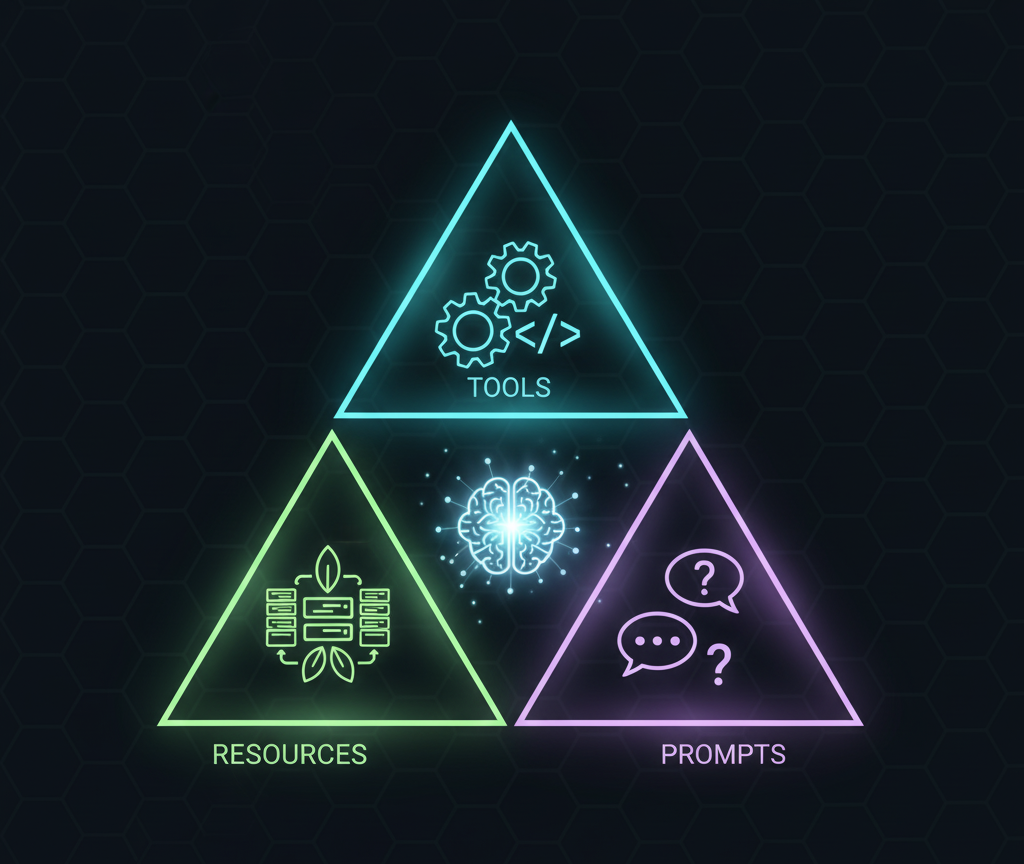
**Building MCP: Intelligent Analysis Tools for Agent Evaluation**
> **🎯 Track 1 Submission**: Building MCP (Enterprise)
> **📅 MCP's 1st Birthday Hackathon**: November 14-30, 2025
---
## 📖 Table of Contents
- [What is TraceMind-MCP-Server?](#what-is-tracemind-mcp-server)
- [MCP Tools Provided](#️-mcp-tools-provided)
- [analyze_leaderboard](#1-analyze_leaderboard)
- [estimate_cost](#2-estimate_cost)
- [debug_trace](#3-debug_trace)
- [compare_runs](#4-compare_runs)
- [analyze_results](#5-analyze_results)
- [Accessing the MCP Server](#-accessing-the-mcp-server)
- [Use Cases](#-use-cases)
- [Architecture](#️-architecture)
- [Configuration](#-configuration)
- [Dataset Requirements](#-dataset-requirements)
- [Learning Resources](#-learning-resources)
- [Troubleshooting](#-troubleshooting)
- [Links](#-links)
- [License](#-license)
- [Contributing](#-contributing)
- [MCP's 1st Birthday Hackathon](#-mcps-1st-birthday-hackathon)
---
## What is TraceMind-MCP-Server?
TraceMind-MCP-Server is a **Track 1 (Building MCP)** submission that provides MCP tools for intelligent agent evaluation analysis.
**Key Features:**
- 🤖 Powered by Google Gemini 2.5 Pro
- 🔌 Standards-compliant MCP implementation
- 📊 Analyzes HuggingFace evaluation datasets
- 💡 Provides actionable insights and recommendations
- 🌐 Accessible via SSE transport for Gradio integration
---
🛠️ MCP Tools Provided
### 1. `analyze_leaderboard`
**Purpose**: Generate AI-powered insights about evaluation leaderboard data
**Input Schema:**
```json
{
"leaderboard_repo": "string", // HF dataset (default: kshitijthakkar/smoltrace-leaderboard)
"metric_focus": "string", // "overall" | "accuracy" | "cost" | "latency" | "co2"
"time_range": "string", // "last_week" | "last_month" | "all_time"
"top_n": "integer" // Number of top models to highlight
}
```
**What It Does:**
1. Fetches leaderboard dataset from HuggingFace
2. Filters by time range
3. Analyzes trends based on metric focus
4. Uses Gemini to generate insights
5. Returns markdown-formatted analysis
**Example Output:**
```markdown
Based on 247 evaluations in the past week:
**Top Performers:**
- GPT-4 leads in accuracy at 95.8% but costs $0.05 per run
- Llama-3.1-8B offers best cost/performance at 93.4% accuracy for $0.002
- Qwen3-MoE is fastest at 1.7s average duration
**Trends:**
- API models dominate accuracy rankings
- GPU models are 10x more cost-effective
- H200 jobs show 2x faster execution vs A10
**Recommendations:**
- For production: Consider Llama-3.1-8B for cost-sensitive workloads
- For maximum accuracy: GPT-4 remains state-of-the-art
- For eco-friendly: Claude-3-Haiku has lowest CO2 emissions
```
---
### 2. `estimate_cost`
**Purpose**: Estimate evaluation costs with hardware recommendations
**Input Schema:**
```json
{
"model": "string", // Model name (e.g., "openai/gpt-4")
"agent_type": "string", // "tool" | "code" | "both"
"num_tests": "integer", // Number of test cases (default: 100)
"hardware": "string" // "cpu" | "gpu_a10" | "gpu_h200" (optional)
}
```
**What It Does:**
1. Determines if model is API or local
2. Calculates token usage estimates
3. Computes costs (API pricing or GPU time)
4. Estimates duration and CO2 emissions
5. Provides hardware recommendations
**Example Output:**
```markdown
## Cost Estimation: openai/gpt-4 (Tool Agent, 100 tests)
**Hardware**: CPU (API model)
**Cost Breakdown:**
- Total Tokens: ~15,000
- Prompt Tokens: ~5,000 ($0.03)
- Completion Tokens: ~10,000 ($0.06)
- **Total Cost: $0.09**
**Time Estimate:**
- Average per test: 3.2s
- Total duration: ~5.3 minutes
**CO2 Emissions:**
- Estimated: 0.45g CO2e
**Recommendations:**
- ✅ Good choice for accuracy-critical applications
- ⚠️ Consider Llama-3.1-8B for cost savings (10x cheaper)
- 💡 Use caching to reduce repeated API calls
```
---
### 3. `debug_trace`
**Purpose**: Answer questions about agent execution traces
**Input Schema:**
```json
{
"trace_dataset": "string", // HF dataset with OTEL traces
"trace_id": "string", // Specific trace to analyze
"question": "string", // Question about the trace
"include_metrics": "boolean" // Include GPU metrics (default: true)
}
```
**What It Does:**
1. Fetches trace data from HuggingFace
2. Parses OpenTelemetry spans
3. Analyzes execution flow
4. Uses Gemini to answer questions
5. Provides span-level details
**Example Output:**
```markdown
## Why was the tool called twice?
Based on trace analysis for `trace_abc123`:
**First Tool Call (span_003)**:
- Time: 14:23:19.000
- Tool: `search_web`
- Input: {"query": "latest AI news"}
- Result: 5 results returned
- Issue: Results were 2 days old
**Second Tool Call (span_005)**:
- Time: 14:23:21.200
- Tool: `search_web`
- Input: {"query": "latest AI news today"}
- Reasoning: LLM determined first results were outdated
- Duration: 1200ms
**Why Twice?**
The agent's reasoning chain shows it initially received outdated results.
The LLM then decided to refine the query with "today" keyword to get
more recent data.
**Performance Impact:**
- Added 2.09s to total execution
- Cost increase: +$0.0003
- This is normal for agents with iterative reasoning
**Recommendation:**
Consider adding date filters to initial tool calls to avoid retries.
```
---
### 4. `compare_runs`
**Purpose**: Side-by-side comparison of evaluation runs
**Input Schema:**
```json
{
"leaderboard_repo": "string", // HF leaderboard dataset
"run_id_1": "string", // First run ID
"run_id_2": "string", // Second run ID
"comparison_focus": "string" // "overall" | "cost" | "accuracy" | "speed"
}
```
**What It Does:**
1. Fetches data for both runs
2. Compares key metrics
3. Identifies strengths/weaknesses
4. Provides recommendations
**Example Output:**
```markdown
## Comparison: GPT-4 vs Llama-3.1-8B
| Metric | GPT-4 | Llama-3.1-8B | Winner |
|--------|-------|--------------|--------|
| Success Rate | 95.8% | 93.4% | GPT-4 (+2.4%) |
| Avg Duration | 3.2s | 2.1s | Llama (+34% faster) |
| Cost per Run | $0.05 | $0.002 | Llama (25x cheaper) |
| CO2 Emissions | 0.22g | 0.08g | Llama (64% less) |
**Analysis:**
- GPT-4 has slight accuracy edge but at significant cost premium
- Llama-3.1-8B offers excellent cost/performance ratio
- For 1000 runs: GPT-4 costs $50, Llama costs $2
**Recommendation:**
Use Llama-3.1-8B for production unless 95%+ accuracy is critical.
Consider hybrid approach: Llama for routine tasks, GPT-4 for complex ones.
```
---
### 5. `analyze_results`
**Purpose**: Deep dive into test case results
**Input Schema:**
```json
{
"results_repo": "string", // HF results dataset
"run_id": "string", // Run to analyze
"focus": "string" // "failures" | "successes" | "all"
}
```
**What It Does:**
1. Loads results dataset
2. Filters by success/failure
3. Identifies patterns
4. Suggests optimizations
---
## 🌐 Accessing the MCP Server
### Via TraceMind-AI (This App!)
The **Agent Chat** screen uses TraceMind-MCP-Server automatically:
```python
# Happens automatically in the Chat screen
from mcp_client.sync_wrapper import get_sync_mcp_client
mcp = get_sync_mcp_client()
insights = mcp.analyze_leaderboard(
metric_focus="overall",
time_range="last_week"
)
```
### Via SSE Endpoint (for smolagents)
```python
from smolagents import MCPClient, ToolCallingAgent
# Connect to MCP server via SSE
mcp_client = MCPClient(
"https://mcp-1st-birthday-tracemind-mcp-server.hf.space/gradio_api/mcp/sse"
)
# Create agent with MCP tools
agent = ToolCallingAgent(
tools=[],
model="hfapi",
additional_authorized_imports=["requests", "pandas"]
)
# Tools automatically available!
agent.run("Analyze the leaderboard and show top 3 models")
```
### Via MCP SDK (for other clients)
```python
from mcp import ClientSession, StdioServerParameters
# For local development
session = ClientSession(
StdioServerParameters(
command="python",
args=["-m", "mcp_tools"]
)
)
# Call tools
result = await session.call_tool(
"analyze_leaderboard",
arguments={"metric_focus": "cost"}
)
```
---
## 🎯 Use Cases
### 1. Interactive Analysis (Agent Chat)
Ask natural language questions:
- "What are the top 3 models by accuracy?"
- "Compare GPT-4 and Claude-3 on cost"
- "Why is this agent slow?"
### 2. Automated Insights (Leaderboard)
Get AI summaries automatically:
- Weekly trend reports
- Cost optimization recommendations
- Performance alerts
### 3. Debugging (Trace Detail)
Understand agent behavior:
- "Why did the agent fail?"
- "Which tool took the longest?"
- "Why was the same tool called twice?"
### 4. Planning (Cost Estimator)
Before running evaluations:
- "How much will 1000 tests cost?"
- "Should I use A10 or H200?"
- "What's the CO2 impact?"
---
## 🏗️ Architecture
```
┌─────────────────────────────────────────────────────┐
│ TraceMind-MCP-Server (HF Space) │
├─────────────────────────────────────────────────────┤
│ │
│ ┌─────────────────┐ ┌──────────────────┐ │
│ │ Gradio App │ │ MCP Protocol │ │
│ │ (UI + SSE) │◄──────►│ Handler │ │
│ └─────────────────┘ └────────┬─────────┘ │
│ │ │
│ ┌────────▼─────────┐ │
│ │ Tool Router │ │
│ └────────┬─────────┘ │
│ │ │
│ ┌─────────────────────────────┼──────────┐ │
│ │ │ │ │
│ ┌──────▼──────┐ ┌─────────▼───────▼──┐ ┌──▼──▼──┐
│ │ Leaderboard │ │ Cost Estimator │ │ Trace │
│ │ Analyzer │ │ │ │Debugger│
│ └─────────────┘ └───────────────────┘ └────────┘
│ │ │ │ │
│ └─────────────────────┴──────────────────┘ │
│ │ │
│ ┌─────────▼──────────┐ │
│ │ Gemini 2.5 Pro │ │
│ │ (Analysis Engine) │ │
│ └────────────────────┘ │
│ │
└────────────────────────────────────────────────────────┘
│
│ MCP Protocol (SSE)
│
▼
┌──────────────────────────┐
│ TraceMind-AI (UI) │
│ Agent Chat Screen │
└──────────────────────────┘
```
---
## 🔧 Configuration
### Environment Variables
```env
# Google Gemini API (required)
GEMINI_API_KEY=your_api_key_here
# HuggingFace Token (for dataset access)
HF_TOKEN=your_token_here
# Default Leaderboard (optional)
DEFAULT_LEADERBOARD_REPO=kshitijthakkar/smoltrace-leaderboard
```
---
## 📊 Dataset Requirements
MCP tools expect datasets with specific schemas:
### Leaderboard Dataset
```python
{
"run_id": "string",
"model": "string",
"success_rate": "float",
"total_cost_usd": "float",
"timestamp": "string",
# ... other metrics
}
```
### Results Dataset
```python
{
"run_id": "string",
"task_id": "string",
"success": "boolean",
"trace_id": "string",
# ... other fields
}
```
### Traces Dataset
```python
{
"trace_id": "string",
"spans": [
{
"spanId": "string",
"name": "string",
"attributes": {},
# ... OTEL format
}
]
}
```
---
## 🎓 Learning Resources
### MCP Documentation
- [Model Context Protocol Spec](https://modelcontextprotocol.io)
- [MCP Python SDK](https://github.com/modelcontextprotocol/python-sdk)
- [Gradio MCP Integration](https://www.gradio.app/guides/creating-a-custom-chatbot-with-blocks#model-context-protocol-mcp)
### Implementation Examples
- **This Server**: [HF Space Code](https://huggingface.co/spaces/MCP-1st-Birthday/TraceMind-mcp-server/tree/main)
- **Client Integration**: [TraceMind-AI mcp_client/](https://github.com/Mandark-droid/TraceMind-AI/tree/main/mcp_client)
---
## 🐛 Troubleshooting
### Common Issues
**Q: MCP tools not appearing?**
```bash
# Verify MCP_SERVER_URL is correct
echo $MCP_SERVER_URL
# Should be: https://mcp-1st-birthday-tracemind-mcp-server.hf.space/gradio_api/mcp/sse
```
**Q: "Failed to load dataset" error?**
```bash
# Check HF token
export HF_TOKEN=your_token_here
# Verify dataset exists
huggingface-cli repo info kshitijthakkar/smoltrace-leaderboard
```
**Q: Gemini API errors?**
```bash
# Verify API key
curl -H "Authorization: Bearer $GEMINI_API_KEY" \\
https://generativelanguage.googleapis.com/v1beta/models
# Check rate limits (10 requests/minute on free tier)
```
---
## 🔗 Links
- **Live Server**: [HF Space](https://huggingface.co/spaces/MCP-1st-Birthday/TraceMind-mcp-server)
- **Source Code**: [GitHub](https://github.com/Mandark-droid/TraceMind-mcp-server)
- **Client (This App)**: [TraceMind-AI](https://huggingface.co/spaces/MCP-1st-Birthday/TraceMind)
- **MCP Spec**: [modelcontextprotocol.io](https://modelcontextprotocol.io)
---
## 🎬 Demo Videos
| Video | Duration | Description |
|-------|----------|-------------|
| **TraceMind-AI Full Demo** | 20 mins | [Watch on Loom](https://www.loom.com/share/70b9689b57204da58b8fef0d23c304fe) - Complete walkthrough of TraceMind-AI features and workflows |
| **MCP Server Quick Demo** | 5 mins | [Watch on Loom](https://www.loom.com/share/d4d0003f06fa4327b46ba5c081bdf835) - Quick overview of TraceMind-MCP-Server features |
| **MCP Server Full Demo** | 20 mins | [Watch on Loom](https://www.loom.com/share/de559bb0aef749559c79117b7f951250) - Comprehensive walkthrough with detailed explanations |
---
## 📄 License
**AGPL-3.0** - Open source and free to use
---
## 🤝 Contributing
Help improve TraceMind-MCP-Server:
- Add new MCP tools
- Improve analysis quality
- Optimize performance
- Add support for more datasets
---
## 🏆 MCP's 1st Birthday Hackathon
**Track 1 Submission: Building MCP (Enterprise)**
TraceMind-MCP-Server demonstrates:
- ✅ Standards-compliant MCP implementation
- ✅ SSE transport for Gradio integration
- ✅ Real-world use case (agent evaluation)
- ✅ Gemini 2.5 Flash integration
- ✅ Production-ready deployment on HF Spaces
**Used by**: TraceMind-AI (Track 2) for autonomous agent chat
---
*TraceMind-MCP-Server - Intelligent analysis, one tool at a time* 🔌
""")
def create_job_submission_tab():
"""Create the Job Submission tab with full details about Modal and HF Jobs"""
return gr.Markdown("""
# ☁️ Job Submission
**Run SMOLTRACE Evaluations on Cloud Infrastructure**
TraceMind-AI provides seamless integration with two cloud compute platforms, allowing you to run agent evaluations with automated hardware selection, cost estimation, and real-time monitoring.
---
## 📋 Table of Contents
- [Platform Overview](#-platform-overview)
- [HuggingFace Jobs Integration](#-huggingface-jobs-integration)
- [Modal Integration](#-modal-integration)
- [Hardware Auto-Selection](#-hardware-auto-selection)
- [Cost Estimation](#-cost-estimation)
- [Job Monitoring](#-job-monitoring)
- [Step-by-Step Guide](#-step-by-step-guide)
- [Troubleshooting](#-troubleshooting)
---
## 🌟 Platform Overview
### Supported Platforms
| Platform | Best For | Pricing Model | GPU Options | Free Tier |
|----------|----------|---------------|-------------|-----------|
| **HuggingFace Jobs** | Managed infrastructure, dataset integration | Per-second | T4, L4, A10, A100, V5e | ❌ ($9/mo Pro required) |
| **Modal** | Serverless compute, pay-per-second | Per-second | T4, L4, A10, A100-80GB, H100, H200, B200 | ✅ Free credits available |
### Key Differences
**HuggingFace Jobs**:
- ✅ Native HuggingFace ecosystem integration
- ✅ Managed infrastructure with guaranteed availability
- ✅ Built-in dataset storage and versioning
- ✅ Per-second billing (no minimums)
- ⚠️ Requires Pro account ($9/month)
- ⚠️ Limited GPU options (no H100/H200)
**Modal**:
- ✅ Serverless architecture (no minimum charges)
- ✅ Pay-per-second billing
- ✅ Latest GPUs (H100, H200, B200 available)
- ✅ Free tier with credits
- ⚠️ Requires separate account setup
- ⚠️ Container cold start time (~2-3 minutes first run)
---
## 🤗 HuggingFace Jobs Integration
### Requirements
**1. HuggingFace Pro Account**
- Cost: $9/month
- Sign up: https://huggingface.co/pricing
- Includes compute credits and priority support
**2. HuggingFace Token with Run Jobs Permission**
```
Steps to create token:
1. Visit: https://huggingface.co/settings/tokens
2. Click "New token"
3. Name: "TraceMind Evaluation"
4. Permissions:
✅ Read (view datasets)
✅ Write (upload results)
✅ Run Jobs (submit evaluation jobs) ⚠️ REQUIRED
5. Copy token (starts with hf_)
6. Save in TraceMind Settings
```
### Hardware Options
| Hardware | vCPUs | GPU | Memory | Best For | Price/hr | Per-second |
|----------|-------|-----|--------|----------|----------|------------|
| `cpu-basic` | 2 | - | 16 GB | API models (OpenAI, Anthropic) | Free with Pro | - |
| `cpu-upgrade` | 8 | - | 32 GB | API models (high volume) | Free with Pro | - |
| `t4-small` | 4 | T4 (16GB) | 15 GB | Small models (4B-8B) | $0.40 | $0.000111 |
| `t4-medium` | 8 | T4 (16GB) | 30 GB | Small models (batched) | $0.60 | $0.000167 |
| `l4x1` | 8 | L4 (24GB) | 30 GB | Small-medium models | $0.80 | $0.000222 |
| `a10g-small` | 4 | A10G (24GB) | 32 GB | Medium models (7B-13B) | $1.00 | $0.000278 |
| `a10g-large` | 12 | A10G (24GB) | 92 GB | Medium models (high memory) | $1.50 | $0.000417 |
| `a100-large` | 12 | A100 (80GB) | 142 GB | Large models (70B+) | $2.50 | $0.000694 |
| `v5e-1x1` | 4 | TPU v5e | 16 GB | TPU-optimized workloads | TBD | TBD |
*Pricing from [HF Spaces GPU docs](https://huggingface.co/docs/hub/en/spaces-gpus). Billed **per-second** with no minimums.*
### Auto-Selection Logic
When you select `hardware: auto`, TraceMind applies this logic:
```python
# API models (LiteLLM/Inference)
if provider in ["litellm", "inference"]:
hardware = "cpu-basic"
# Local models (Transformers)
elif "70b" in model.lower() or "65b" in model.lower():
hardware = "a100-large" # Large models
elif "13b" in model.lower() or "34b" in model.lower():
hardware = "a10g-large" # Medium models
elif "7b" in model.lower() or "8b" in model.lower() or "4b" in model.lower():
hardware = "t4-small" # Small models
else:
hardware = "t4-small" # Default
```
### Job Workflow
```
1. Configure Settings
└─> Add HF Token (with Run Jobs permission)
└─> Add LLM provider API keys
2. Create Evaluation
└─> Select "HuggingFace Jobs" as infrastructure
└─> Choose model and configuration
└─> Hardware auto-selected or manually chosen
3. Submit Job
└─> TraceMind validates credentials
└─> Submits job via HF Jobs API
└─> Returns job ID for monitoring
4. Job Execution
└─> Container built with dependencies
└─> SMOLTRACE runs evaluation
└─> Results uploaded to HF datasets
└─> Leaderboard updated automatically
5. Monitor Progress
└─> Track at: https://huggingface.co/jobs
└─> Or use Job Monitoring tab in TraceMind
```
---
## ⚡ Modal Integration
### Requirements
**1. Modal Account**
- Free tier: $30 free credits per month
- Sign up: https://modal.com
**2. Modal API Credentials**
```
Steps to get credentials:
1. Visit: https://modal.com/settings/tokens
2. Click "Create token"
3. Copy:
- Token ID (starts with ak-)
- Token Secret (starts with as-)
4. Save in TraceMind Settings:
- MODAL_TOKEN_ID: ak-xxxxx
- MODAL_TOKEN_SECRET: as-xxxxx
```
### Hardware Options
| Hardware | GPU | Memory | Best For | Price/sec | Equivalent $/hr |
|----------|-----|--------|----------|-----------|-----------------|
| `CPU` | - | 16 GB | API models | $0.0000131/core | ~$0.05 |
| `T4` | T4 (16GB) | 16 GB | Small models (4B-8B) | $0.000164 | ~$0.59 |
| `L4` | L4 (24GB) | 24 GB | Small-medium models | $0.000222 | ~$0.80 |
| `A10G` | A10G (24GB) | 32 GB | Medium models (7B-13B) | $0.000306 | ~$1.10 |
| `L40S` | L40S (48GB) | 48 GB | Large models (optimized) | $0.000542 | ~$1.95 |
| `A100` | A100 (40GB) | 64 GB | Large models | $0.000583 | ~$2.10 |
| `A100-80GB` | A100 (80GB) | 128 GB | Very large models (70B+) | $0.000694 | ~$2.50 |
| `H100` | H100 (80GB) | 192 GB | Latest generation inference | $0.001097 | ~$3.95 |
| `H200` | H200 (141GB) | 256 GB | Cutting-edge, highest memory | $0.001261 | ~$4.54 |
| `B200` | B200 (192GB) | 384 GB | Next-gen, massive memory | $0.001736 | ~$6.25 |
Full pricing: https://modal.com/pricing
**💡 Both platforms use per-second billing!** Choose Modal for H100/H200/B200 GPUs or if you don't have HF Pro.
### Auto-Selection Logic
When you select `hardware: auto`, TraceMind applies this logic:
```python
# API models
if provider in ["litellm", "inference"]:
gpu = None # CPU only
# Local models (Transformers)
elif "70b" in model.lower() or "65b" in model.lower():
gpu = "A100-80GB" # Large models need 80GB
elif "13b" in model.lower() or "34b" in model.lower():
gpu = "A10G" # Medium models
elif "7b" in model.lower() or "8b" in model.lower():
gpu = "A10G" # Small models efficient on A10G
else:
gpu = "A10G" # Default
```
### Modal-Specific Features
**Dynamic Python Version Matching**
```python
# Automatically matches your environment
python_version = f"{sys.version_info.major}.{sys.version_info.minor}"
# Example: "3.10" on HF Space, "3.12" locally
```
**Optimized Docker Images**
```python
# GPU jobs: CUDA-optimized base
image = "nvidia/cuda:12.6.0-cudnn-devel-ubuntu22.04"
# CPU jobs: Lightweight
image = "debian-slim"
```
**Smart Package Installation**
```python
# GPU jobs get full stack
packages = [
"smoltrace",
"transformers",
"torch",
"accelerate", # For device_map
"bitsandbytes", # For quantization
"hf_transfer", # Fast downloads
"nvidia-ml-py" # GPU metrics
]
# CPU jobs get minimal dependencies
packages = ["smoltrace", "litellm", "ddgs"]
```
### Job Workflow
```
1. Configure Settings
└─> Add Modal Token ID + Secret
└─> Add HF Token (for dataset upload)
└─> Add LLM provider API keys
2. Create Evaluation
└─> Select "Modal" as infrastructure
└─> Choose model and configuration
└─> Hardware auto-selected
3. Submit Job
└─> TraceMind creates dynamic Modal app
└─> Submits job in background thread
└─> Returns Modal Call ID
4. Job Execution
└─> Image builds (or uses cache)
└─> Model downloads to Modal storage
└─> SMOLTRACE runs evaluation
└─> Results uploaded to HF datasets
5. Monitor Progress
└─> Track at: https://modal.com/apps
└─> View real-time streaming logs
```
---
## 🎯 Hardware Auto-Selection
### How It Works
TraceMind **automatically selects optimal hardware** based on:
1. **Provider type**: LiteLLM/Inference (API) vs Transformers (local)
2. **Model size**: Extracted from model name (e.g., "70b", "13b", "8b")
3. **Platform**: Modal or HuggingFace Jobs
### Selection Matrix
| Model Type | Model Size | HF Jobs | Modal |
|------------|------------|---------|-------|
| API (OpenAI, Anthropic) | Any | `cpu-basic` | `CPU` |
| Transformers | 4B-8B | `t4-small` | `A10G` |
| Transformers | 13B-34B | `a10g-large` | `A10G` |
| Transformers | 70B+ | `a100-large` | `A100-80GB` |
### Override Auto-Selection
You can manually select hardware if needed:
```
Reasons to override:
- You know your model needs more memory
- You want to test performance on different GPUs
- You want to optimize cost vs speed tradeoff
```
### Cost Estimation Shows Auto-Selection
When you click **"💰 Estimate Cost"** with `auto` hardware:
**Modal Example**:
```
Hardware: auto → **A100-80GB** (Modal)
Estimated Cost: $0.45
Duration: 15 minutes
```
**HF Jobs Example**:
```
Hardware: auto → **a100-large** (HF Jobs)
Estimated Cost: $0.75
Duration: 15 minutes
```
---
## 💰 Cost Estimation
### How Cost Estimation Works
TraceMind provides **AI-powered cost estimation** before you submit jobs:
**Data Sources**:
1. **Historical Data** (preferred): Analyzes past runs from leaderboard
2. **MCP Server** (fallback): Uses `estimate_cost` MCP tool with Gemini 2.5 Flash
### Estimation Process
```
1. User clicks "💰 Estimate Cost"
2. TraceMind checks for historical data
└─> If found: Use average cost/duration from past runs
└─> If not found: Call MCP Server for AI analysis
3. Auto-selection applied
└─> Determines actual hardware that will be used
└─> Maps to pricing table
4. Display estimate
└─> Cost breakdown
└─> Duration estimate
└─> Hardware details
```
### Cost Estimate Components
**Historical Data Estimate**:
```markdown
## 💰 Cost Estimate
**📊 Historical Data (5 past runs)**
| Metric | Value |
|--------|-------|
| Model | meta-llama/Llama-3.1-70B |
| Hardware | auto → **A100-80GB** (Modal) |
| Estimated Cost | $0.45 |
| Duration | 15.2 minutes |
---
*Based on 5 previous evaluation runs in the leaderboard.*
```
**MCP AI Estimate**:
```markdown
## 💰 Cost Estimate - AI Analysis
**🤖 Powered by MCP Server + Gemini 2.5 Flash**
*This estimate was generated by AI analysis since no historical
data is available for this model.*
**Hardware**: auto → **A100-80GB** (Modal)
---
Based on the model size (70B parameters) and evaluation
configuration, I estimate:
**Cost Breakdown**:
- Model download: ~5 minutes @ $0.0030/sec = $0.90
- Evaluation (100 tests): ~10 minutes @ $0.0030/sec = $1.80
- **Total estimated cost**: $2.70
**Duration**: 15-20 minutes
**Recommendations**:
- For cost savings, consider using A10G with quantization
- For faster inference, H200 reduces duration to ~8 minutes
```
### Accuracy of Estimates
**Historical estimates**: ±10% accuracy
- Based on actual past runs
- Accounts for model-specific behavior
**MCP AI estimates**: ±30% accuracy
- Uses model knowledge and heuristics
- Conservative (tends to overestimate)
**Factors affecting accuracy**:
- Model download time varies (network speed, caching)
- Evaluation complexity depends on dataset
- GPU availability can affect queue time
---
## 🔍 Job Monitoring
### HuggingFace Jobs Monitoring
**Built-in Tab**: Go to **"🔍 Job Monitoring"** in TraceMind
**Features**:
```
📋 Inspect Job
└─> Enter HF Job ID
└─> View status, hardware, timestamps
└─> See next steps based on status
📜 Job Logs
└─> Load execution logs
└─> Auto-refresh option
└─> Search and filter
📑 Recent Jobs
└─> List your recent jobs
└─> Quick status overview
└─> Click to inspect
```
**Job Statuses**:
- ⏳ **QUEUED**: Waiting to start
- 🔄 **STARTING**: Initializing (1-2 min)
- ▶️ **RUNNING**: Executing evaluation
- ✅ **SUCCEEDED**: Completed successfully
- ❌ **FAILED**: Error occurred (check logs)
- 🚫 **CANCELLED**: Manually stopped
**External Monitoring**:
- HF Dashboard: https://huggingface.co/jobs
- CLI: `hf jobs ps` and `hf jobs logs `
### Modal Monitoring
**Modal Dashboard**: https://modal.com/apps
**Features**:
- Real-time streaming logs
- GPU utilization graphs
- Cost tracking
- Container status
**Log Visibility**:
TraceMind uses streaming output for Modal jobs:
```python
# You'll see in real-time:
================================================================================
Starting SMOLTRACE evaluation on Modal
Command: smoltrace-eval --model Qwen/Qwen3-8B ...
Python version: 3.10.0
GPU: NVIDIA A10
GPU Memory: 23.68 GB
================================================================================
Note: Model download may take several minutes for large models (14B = ~28GB)
Downloading and initializing model...
[Download progress bars appear here]
[Evaluation progress appears here]
================================================================================
EVALUATION COMPLETED
Return code: 0
================================================================================
```
### Expected Duration
**CPU Jobs (API Models)**:
- Queue time: <1 minute
- Execution: 2-5 minutes
- **Total**: ~5 minutes
**GPU Jobs (Local Models)**:
- Queue time: 1-3 minutes
- Image build: 2-5 minutes (first run, then cached)
- Model download: 5-15 minutes (14B = ~10 min, 70B = ~15 min)
- Evaluation: 3-10 minutes (depends on dataset size)
- **Total**: 15-30 minutes
**Pro Tip**: Modal caches images and models, so subsequent runs are **much faster** (skip image build and model download).
---
## 📝 Step-by-Step Guide
### Complete Workflow Example
**Scenario**: Evaluate GPT-4 via LiteLLM on HuggingFace Jobs
#### Step 1: Configure API Keys
```
1. Go to "⚙️ Settings" tab
2. Under "HuggingFace Configuration":
- HF Token: [your token with Run Jobs permission]
- Click "Save API Keys"
3. Under "LLM Provider API Keys":
- OpenAI API Key: [your key]
- Click "Save API Keys"
```
#### Step 2: Navigate to New Evaluation
```
1. Click "🚀 New Evaluation" in sidebar
2. You'll see the evaluation form with multiple sections
```
#### Step 3: Configure Evaluation
**Infrastructure**:
```
Infrastructure Provider: HuggingFace Jobs
Hardware: auto (will select cpu-basic)
```
**Model Configuration**:
```
Model: openai/gpt-4
Provider: litellm
```
**Agent Configuration**:
```
Agent Type: both (tool + code)
Search Provider: duckduckgo
Tools: python_interpreter, visit_webpage, duckduckgo_search
```
**Test Configuration**:
```
Dataset: kshitijthakkar/smoltrace-tasks
Split: train
Difficulty: all
Parallel Workers: 1
```
**Output & Monitoring**:
```
Output Format: hub (HuggingFace datasets)
Enable OTEL: ✅
Enable GPU Metrics: ✅ (N/A for CPU)
Timeout: 1h
```
#### Step 4: Estimate Cost
```
1. Click "💰 Estimate Cost"
2. Review estimate:
- Hardware: auto → **cpu-basic** (HF Jobs)
- Cost: ~$0.08
- Duration: ~3 minutes
```
#### Step 5: Submit Job
```
1. Click "Submit Evaluation"
2. Confirmation appears:
✅ Job submitted successfully!
Job Details:
- Run ID: job_abc12345
- HF Job ID: kshitijthakkar/def67890
- Hardware: cpu-basic
- Platform: HuggingFace Jobs
```
#### Step 6: Monitor Job
**Option A: TraceMind Job Monitoring**
```
1. Go to "🔍 Job Monitoring" tab
2. Click "📋 Inspect Job"
3. Paste HF Job ID: kshitijthakkar/def67890
4. Click "🔍 Inspect Job"
5. View status and click "📥 Load Logs"
```
**Option B: HuggingFace Dashboard**
```
1. Visit: https://huggingface.co/jobs
2. Find your job by ID or timestamp
3. View logs and status
```
#### Step 7: View Results
```
When job completes (SUCCEEDED):
1. Go to "📊 Leaderboard" tab
2. Click "Load Leaderboard"
3. Find your run (job_abc12345)
4. Click row to view detailed results
```
---
## 🔧 Troubleshooting
### Common Issues & Solutions
#### 1. "Modal package not installed"
**Error**:
```
Modal package not installed. Install with: pip install modal
```
**Solution**:
```bash
pip install modal>=0.64.0
```
#### 2. "HuggingFace token not configured"
**Error**:
```
HuggingFace token not configured. Please set HF_TOKEN in Settings.
```
**Solution**:
1. Get token from: https://huggingface.co/settings/tokens
2. Add in Settings → HuggingFace Configuration
3. Ensure permissions include **Read**, **Write**, and **Run Jobs**
#### 3. "Modal authentication failed"
**Error**:
```
Modal authentication failed. Please verify your MODAL_TOKEN_ID
and MODAL_TOKEN_SECRET in Settings.
```
**Solution**:
1. Get credentials from: https://modal.com/settings/tokens
2. Add both:
- MODAL_TOKEN_ID (starts with `ak-`)
- MODAL_TOKEN_SECRET (starts with `as-`)
3. Save and retry
#### 4. "Job failed - Python version mismatch"
**Error** (in Modal logs):
```
The 'submit_modal_job..run_evaluation' Function
was defined with Python 3.12, but its Image has 3.10.
```
**Solution**:
This is automatically fixed in the latest version! TraceMind now dynamically matches Python versions.
If still occurring:
1. Pull latest code: `git pull origin main`
2. Restart app
#### 5. "Fast download using 'hf_transfer' is enabled but package not available"
**Error** (in Modal logs):
```
ValueError: Fast download using 'hf_transfer' is enabled but
'hf_transfer' package is not available.
```
**Solution**:
This is automatically fixed in the latest version! TraceMind now includes `hf_transfer` in GPU job packages.
If still occurring:
1. Pull latest code
2. Modal will rebuild image with new dependencies
#### 6. "Job stuck at 'Downloading model'"
**Symptoms**:
- Logs show "Downloading and initializing model..."
- No progress for 10+ minutes
**Explanation**:
- Large models (14B+) take 10-15 minutes to download
- This is normal! Model size: 28GB for 14B, 140GB for 70B
**Solution**:
- Be patient - download is in progress (Modal's network is fast)
- Future runs will be cached and start instantly
- Check Modal dashboard for download progress
#### 7. "Job completed but no results in leaderboard"
**Symptoms**:
- Job status shows SUCCEEDED
- No entry in leaderboard
**Possible Causes**:
1. Results uploaded to different user's namespace
2. Leaderboard not refreshed
3. Job failed during result upload
**Solution**:
```
1. Refresh leaderboard: Click "Load Leaderboard"
2. Check HF dataset repos:
- kshitijthakkar/smoltrace-leaderboard
- kshitijthakkar/smoltrace-results-
3. Verify HF token has Write permission
4. Check job logs for upload errors
```
#### 8. "Cannot submit job - HuggingFace Pro required"
**Error**:
```
HuggingFace Pro Account ($9/month) required to submit jobs.
Free accounts cannot submit jobs.
```
**Solution**:
- Option A: Upgrade to HF Pro: https://huggingface.co/pricing
- Option B: Use Modal instead (has free tier with credits)
#### 9. "Modal job exits after image build"
**Symptoms**:
- Logs show: "Stopping app - local entrypoint completed"
- Job ends without running evaluation
**Solution**:
This was a known issue (fixed in latest version). The problem was using `.spawn()` with `with app.run()` context.
Current implementation uses `.remote()` in background thread, which ensures job completes.
If still occurring:
1. Pull latest code: `git pull origin main`
2. Restart app
3. Resubmit job
#### 10. "Cost estimate shows wrong hardware"
**Symptoms**:
- Selected Modal with 70B model
- Cost estimate shows "a10g-small" instead of "A100-80GB"
**Solution**:
This was a known issue (fixed in latest version). Cost estimation now applies platform-specific auto-selection logic.
Verify fix:
1. Pull latest code
2. Click "💰 Estimate Cost"
3. Should show: `auto → **A100-80GB** (Modal)`
---
## 📞 Getting Help
### Resources
**Documentation**:
- TraceMind Docs: This tab!
- SMOLTRACE Docs: [GitHub](https://github.com/Mandark-droid/SMOLTRACE)
- Modal Docs: https://modal.com/docs
- HF Jobs Docs: https://huggingface.co/docs/hub/spaces-sdks-docker
**Community**:
- GitHub Issues: [TraceMind-AI Issues](https://github.com/Mandark-droid/TraceMind-AI/issues)
- LinkedIn: [@kshitij-thakkar](https://www.linkedin.com/in/kshitij-thakkar-2061b924)
**Support**:
- For TraceMind bugs: Open GitHub issue
- For Modal issues: https://modal.com/docs/support
- For HF Jobs issues: https://discuss.huggingface.co/
---
*TraceMind-AI - Multi-cloud agent evaluation made simple* ☁️
""")
def create_documentation_screen():
"""
Create the complete documentation screen with tabs
Returns:
gr.Column: Gradio Column component for documentation (can be shown/hidden)
"""
with gr.Column(visible=False) as documentation_interface:
gr.Markdown("""
# 📚 TraceMind Documentation
Comprehensive documentation for the entire TraceMind ecosystem
""")
with gr.Tabs():
with gr.Tab("📖 About"):
create_about_tab()
with gr.Tab("🔭 TraceVerde"):
create_traceverde_tab()
with gr.Tab("📊 SmolTrace"):
create_smoltrace_tab()
with gr.Tab("🔌 TraceMind-MCP-Server"):
create_mcp_server_tab()
with gr.Tab("☁️ Job Submission"):
create_job_submission_tab()
gr.Markdown("""
---
### 💡 Quick Navigation
- **Getting Started**: Start with the "About" tab for ecosystem overview
- **Instrumentation**: See "TraceVerde" for adding observability to your agents
- **Evaluation**: Check "SmolTrace" for running evaluations
- **MCP Integration**: Explore "TraceMind-MCP-Server" for intelligent analysis
### 🔗 External Resources
- [GitHub Organization](https://github.com/Mandark-droid)
- [HuggingFace Spaces](https://huggingface.co/MCP-1st-Birthday)
- [MCP Specification](https://modelcontextprotocol.io)
*Built with ❤️ for MCP's 1st Birthday Hackathon*
""")
return documentation_interface
if __name__ == "__main__":
# For standalone testing
with gr.Blocks() as demo:
doc_screen = create_documentation_screen()
# Make it visible for standalone testing
doc_screen.visible = True
demo.launch()


-purple)




















-blue)

